U-QueueLet guests help choose the music.
A shared music queue where guests request tracks and vote, with playback controls for the host.
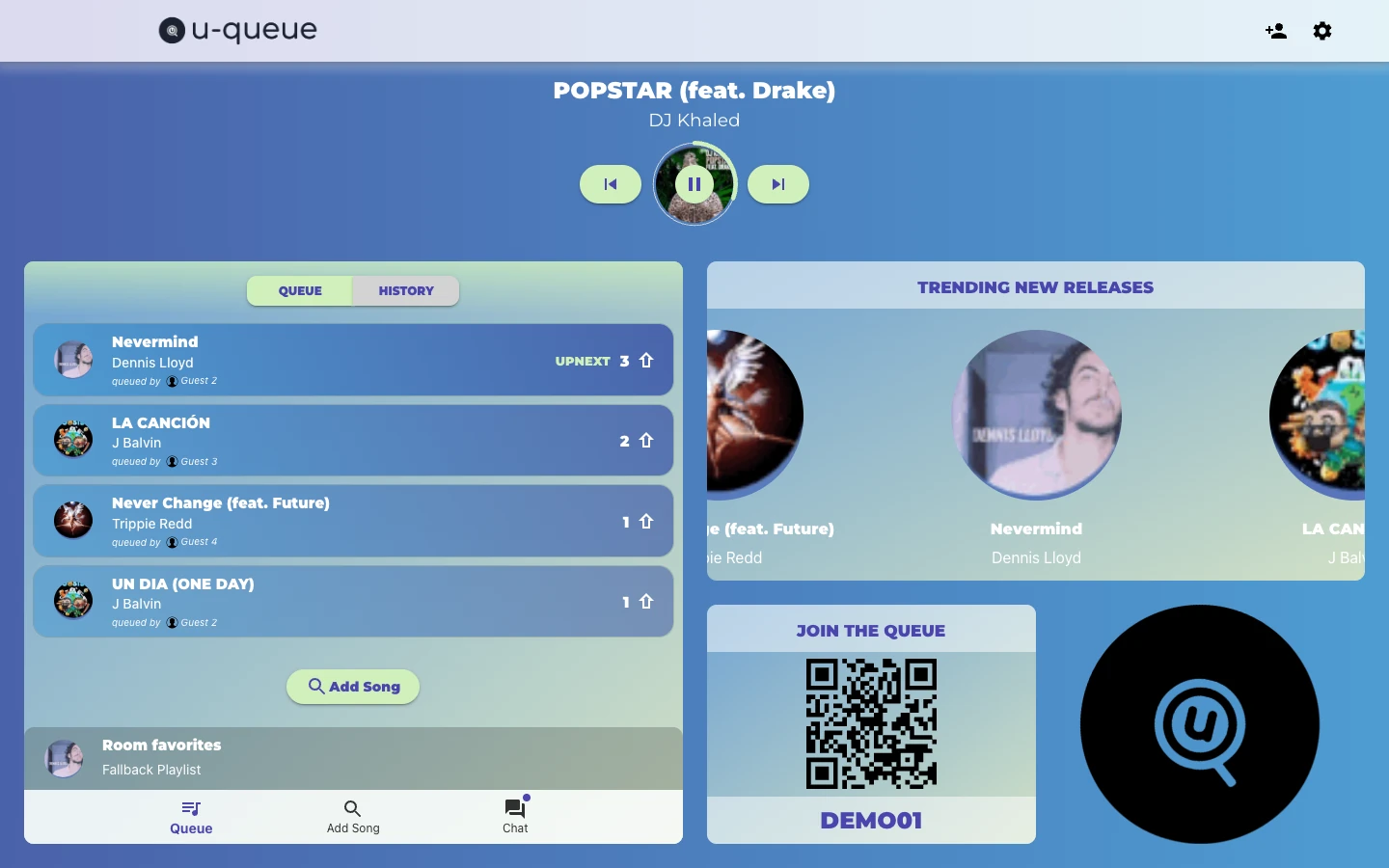
Screenshot of U-Queue’s original React host view with sample tracks and guests. Playback was disconnected.
What U-Queue does.
U-Queue lets guests suggest songs and vote on the queue while the host controls playback.
Separate services handle ordering, reversible votes, contributor fairness, and skip thresholds. Socket events update the guest and host views.
The same queue serves two roles: guests influence what plays next, and the host manages the player.
The problem
Guests want a say in the music, and hosts need to keep the player manageable. A shared queue gives requests and votes a clear set of rules.
Vote on the next track
Vote as a guest, then switch to the host view to advance the queue. The model runs locally and does not play audio or connect to Spotify.
Read the demonstration walkthrough
- Give guests request and voting controls, and keep playback controls with the host.
- Sort requests by priority, then by request time when priorities match.
- Make votes reversible and reduce the starting priority of requests from someone who already has songs queued.
- Send party-scoped socket events when queue or playback state changes; connect the host’s player through Spotify services.
How it works.
Give guests request and voting controls, and keep playback controls with the host.
Sort requests by priority, then by request time when priorities match.
Make votes reversible and reduce the starting priority of requests from someone who already has songs queued.
Send party-scoped socket events when queue or playback state changes; connect the host’s player through Spotify services.
Two perspectives
The React and Redux client provides guest and DJ views with shared party state and different controls.
Queue policy
Server helpers implement vote membership, priority adjustments, request ordering, contributor bias, and crowd-dependent skip thresholds.
Live transport
Socket events refresh queue, current song, and song history for the initiating connection and the rest of the party room.
Playback integration
Dedicated Spotify credential, token, track, and playback services connect the collaborative queue with an external player.
Why it’s built this way.
Make a vote reversible
Voting again removes the user’s vote. The source adds or subtracts 50 priority points and reorders the queue after the transition.
Balance enthusiasm with participation
A new request starts with a negative priority based on that contributor’s existing queued songs, creating a small bias toward other participants.
Adapt skip policy to the crowd
Skip thresholds use fixed values for smaller rooms and a proportion for larger ones, making collective control sensitive to party size.
What to keep in mind.
- 01Show people how their votes affect the queue.
- 02Keep queue rules separate from the socket code that sends updates.
- 03Guests and hosts need different controls over the same queue.
Guest, host, and server code are implemented. The portfolio demo has no Spotify connection.
Technical details come from the project’s source code and documentation. The demo uses sample data.